Apple Watch · offline audio

Your music.
On your wrist.
Phone left behind.

MediaSync streams your Google Drive audio straight to your Apple Watch for offline listening. Head out for a run with nothing but your watch.
Requires iOS 17 and watchOS 10 · Works with your own Google Drive

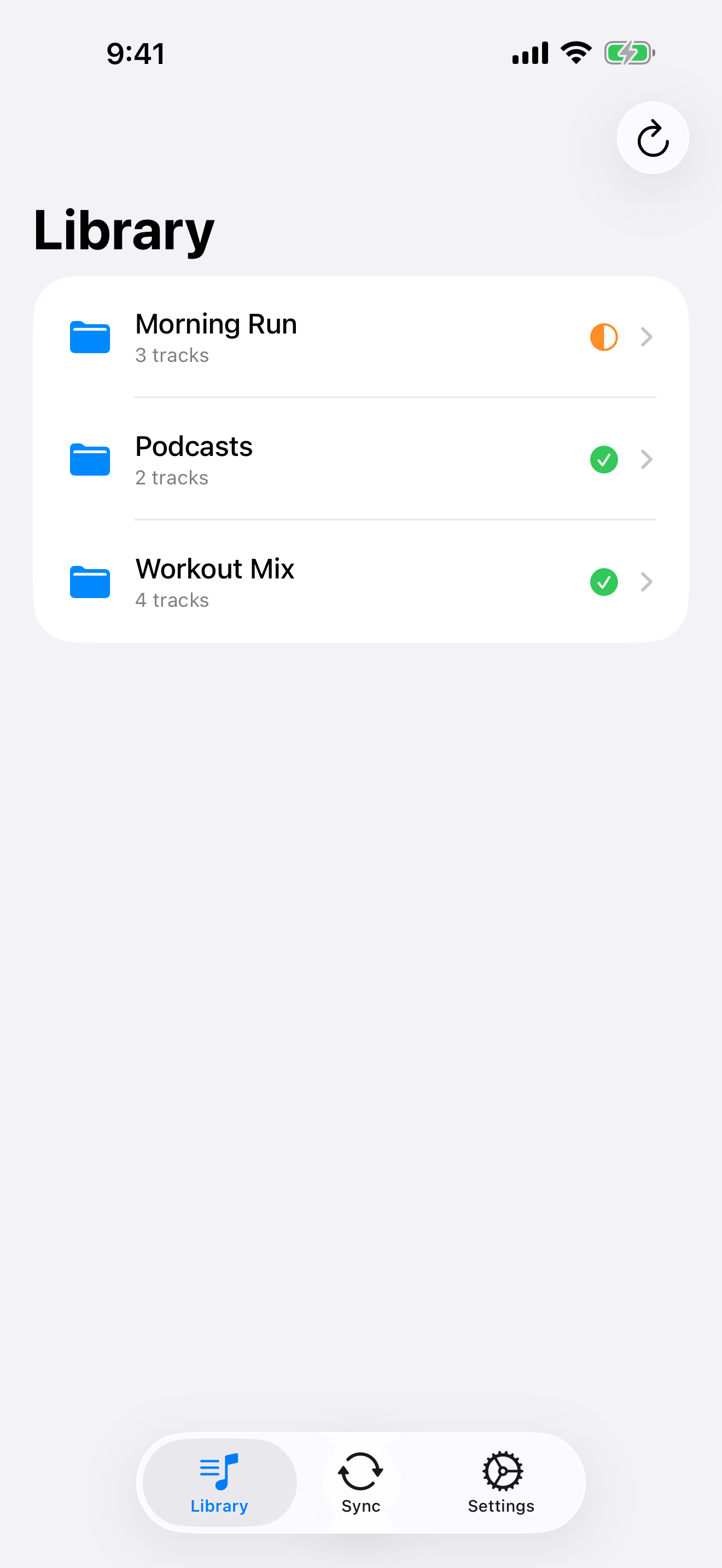
MediaSync library on iPhone
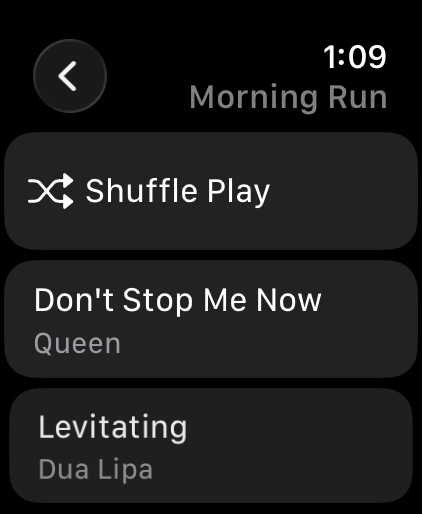
Now playing on Apple Watch

No streaming subscription. No cables. No phone in your pocket. Just your audio, on your wrist.

Why MediaSync

Built for leaving your phone at home.

⌚️

Offline on Apple Watch

Tracks live on your watch and play without your iPhone or a signal. Perfect for runs, gym, and the trail.

☁️

Powered by your Drive

Drop M4A or MP3 files into your Google Drive. MediaSync finds them and brings them to your wrist automatically.

🎧

Playlists from folders

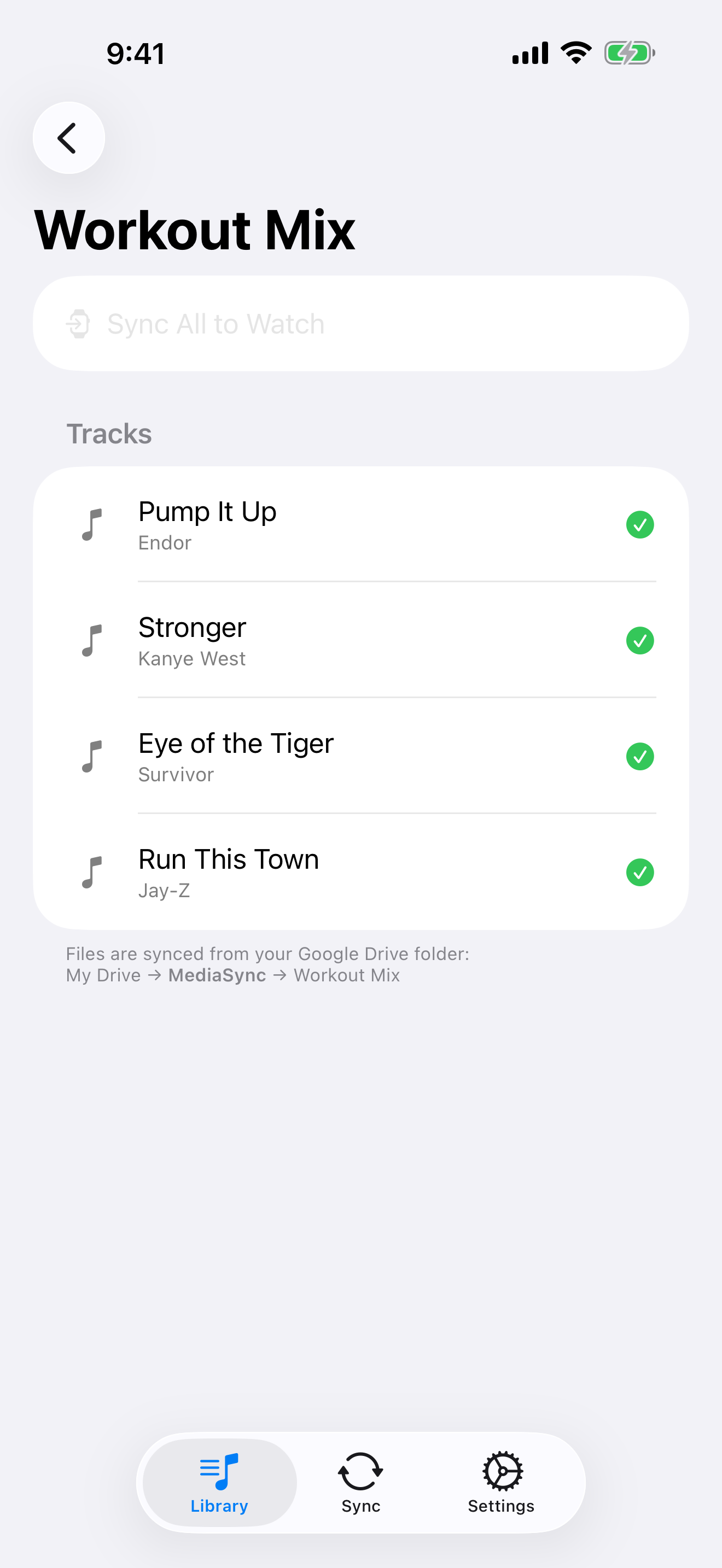
Every subfolder in your Drive becomes a playlist on your watch. Organize once, listen anywhere.

🔒

Private by design

Your files stay in your own Google Drive. We never store your audio on our servers. Your library is yours.

Three steps

From Drive to your wrist in minutes.

STEP 01

Add your audio

Put M4A or MP3 files into the __MediaSync__ folder in your Google Drive. MediaSync creates it for you.

STEP 02

Sync to your Watch

Open MediaSync on iPhone. It finds your files and sends them to your Apple Watch. Tap Sync and you're done.

STEP 03

Press play, anywhere

Leave the phone behind. Open the watch app and listen offline, wherever you are.

A closer look

Simple, focused, fast.

Library of playlists
Tracks in a playlist with sync status

Ready to run?

Sync your Google Drive music to your Apple Watch and leave your phone at home.

Download on the App Store